
Vidu - AI Video Generator
ShengShu AI HK LimitedArt & Design
4.83.38K Reviews
- Version
- 4.2.5
- Installs
- 1.00M
- Age Rating
- Teen
Screenshots
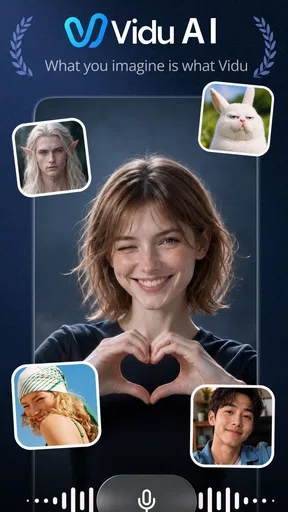
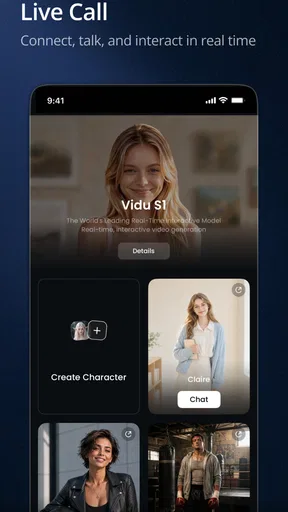
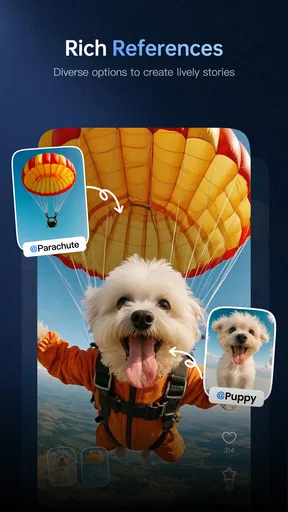
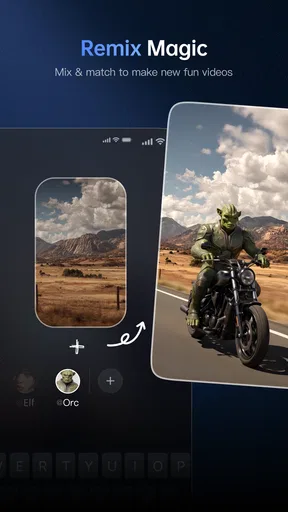
Our Review of Vidu - AI Video Generator
 Analysis by Appyee
My first question when I open an AI video app is what I actually have to bring to it: a clear idea, a finished image, or a folder of clips that needs rescuing. Vidu - AI Video Generator is aimed at creators who want to turn a starting idea into shareable video without making a full desktop editing session their first step. I find that most useful when I already know the mood or message I want, but need help getting from that thought to a visual draft.
Start with a small, specific idea
For a practical first attempt, I would avoid asking any video tool to invent an entire campaign from a vague prompt. I’d begin with one concrete moment: a cup of coffee beside a rainy window, a product on a clean background, or a short visual that supports a point in a social post. That gives me something to judge. If the result misses the mark, I can decide whether the concept, the image choice, or the wording needs work instead of changing everything at once.
That kind of focused brief also makes Vidu easier to evaluate than a quick, novelty-driven test. The app sits in the Art & Design space, so I think of it as a way to explore visual direction as well as make a clip. A creator can use it to test whether a warm, playful treatment suits a post before investing time in a carefully edited version. It is less useful when the task depends on exact continuity, a precise performance, or a tightly controlled shot list.
A creator workflow that leaves room to revise
Once I have an idea, I would move through the work in stages: settle on the subject, decide what the video needs to communicate, and then review the generated result before adding finishing touches. That middle pause matters. It is tempting to accept the first output because it appeared quickly, but a fast draft is only valuable if it gives me a better next decision. I look for whether the main subject reads clearly, whether the motion supports the message, and whether the overall tone fits the place I plan to post it.
For example, imagine I run a small bakery and need a simple social post for a new seasonal pastry. I could start with a close-up idea and a clear mood, then use the result as a visual draft for the post. If it looks too dramatic for the bakery’s usual style, I would revise the direction rather than trying to cover the mismatch with captions. If the motion distracts from the pastry, I would treat that as useful feedback: perhaps a still image or a conventional edit is a better fit for this particular announcement.
My practical tip is to keep the first attempt narrow and save broader experimentation for later. Changing the subject, mood, and intended audience together makes it hard to understand why a result works or fails. Testing one creative choice at a time gives me a more useful comparison, especially when I am making a set of related posts and want them to feel like they belong together.
Where it fits among video tools
Compared with a conventional mobile editor, an AI generator is most appealing at the idea-to-draft stage. A standard editor gives me direct control over cuts, timing, and the exact material I place on a timeline; that is the better route when I have footage already and need dependable, frame-by-frame decisions. Vidu is more attractive when I want a quick creative starting point and do not want to build every visual element by hand.
I would not treat those approaches as rivals in every job. A sensible handoff is to use generated material as a concept or an ingredient, then finish the post in whichever editor gives me the control I need. That separation helps avoid expecting one phone app to deliver both open-ended generation and meticulous post-production. It also gives me a fallback: if the generated clip is not suitable for publication, the idea can still guide a manually assembled version.
People who make frequent social content, experiment with visual styles, or need a rough concept to discuss with a client are likely to get the clearest value. Someone who needs documentary accuracy, consistent product details, or precise brand presentation should be more cautious. In those cases, real footage and a traditional editing workflow may take longer, but they make it easier to verify what viewers will see.
Getting Started with Vidu
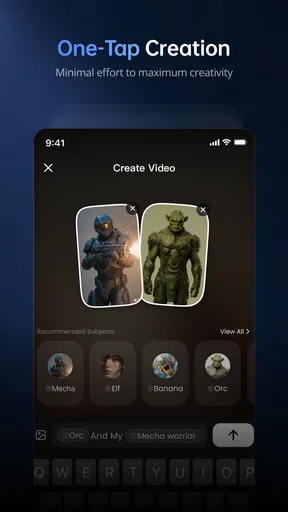
First things first, downloading and setting up Vidu - AI Video Generator is a breeze. Available on both Android and iOS, it’s just a quick install away from transforming your video-making capabilities. Once you fire up the app, you’re greeted with a sleek interface that’s both intuitive and straightforward. No overwhelming options or cluttered menus here. Just pure simplicity.
After a quick sign-up process, you’re ready to dive into the magic. The app’s AI-driven engine does a fantastic job of guiding you through the video creation process, making it perfect for both beginners and seasoned creators. You can either start from scratch or choose from their library of templates, which cover everything from snazzy intros to complete video sequences.
Features That Shine
One of the standout features of Vidu is its AI-powered editing. The app analyzes your footage and suggests edits that you might not have considered. It’s like having a creative partner who never gets tired. Whether you’re cutting a vlog, a promo video, or a cinematic masterpiece, Vidu’s AI helps ensure your final product looks polished and professional.
Now, let’s talk about the template library. It’s vast and varied, catering to different themes and moods. Want a vibrant, upbeat montage? Done. Looking for something more somber and reflective? They’ve got that too. The templates are fully customizable, allowing you to tweak them to fit your vision perfectly.
Another cool feature is the app’s audio capabilities. You can add music tracks, voiceovers, and sound effects with ease. The app even suggests background music that matches the tone of your video, saving you the hassle of scrolling through endless tracks.
Making the most of each draft
The useful question is not simply whether a clip looks attractive, but whether it survives the handoff to the place it is meant to go. I would check that the subject remains easy to understand on a small screen, that any important wording can be added legibly, and that the pacing leaves enough room for a viewer to grasp the point. A striking visual can still be the wrong social post if it competes with the message.
If I were preparing several posts for the same account, I would use a shared creative brief rather than asking for unrelated styles each time. Keeping the subject, audience, and general tone consistent makes it easier to spot which variations feel coherent. I would still review each output individually; consistency is a goal, not something I would assume just because the clips were made in the same app.
There is also a useful distinction between a draft for internal discussion and a finished public asset. A generated video can help a team agree on a mood or rough direction even when it is not ready to publish. That is a good use for a creator working with a client or collaborator: show the concept, ask what feels right, then decide whether to refine it in Vidu or rebuild it with controlled footage and editing.
Costs, access, and expectations
Vidu is free to download, while optional in-app purchases range from $0.49 to $104.99 per item. I would explore the basic workflow before paying for anything, then decide whether the app genuinely fits the kind of videos I make. The gap between the lowest and highest listed purchase is wide, so it is worth checking what an individual option provides and whether I will use it repeatedly rather than treating a purchase as an automatic step in getting started.
The app is developed by ShengShu AI HK Limited. It has a 4.9 average from around 14,000 ratings, and more than 500,000 installs. Those figures suggest it has found an audience, but they do not tell me whether a particular generated clip will suit my project. I would use other people’s enthusiasm as a reason to try the workflow, not as a substitute for checking the result against my own needs.
Vidu is listed for Everyone, and its current version is 3.5.7, with Android 9 as the minimum operating system. The release date is March 11, 2025. Before I build a deadline around any creative app, I would check that it runs on my device and leave time to review the final file in the context where I plan to use it. A smooth creation screen is only one part of a finished post; captions, platform formatting, and a final quality check still matter.
What to do when the result falls short
When a generated scene feels wrong, I would diagnose the problem before spending more time on repeated attempts. If the subject is unclear, make the idea more specific. If the overall mood is off, change the direction without also changing the subject. If the clip looks appealing but fails to communicate the point, use it as inspiration and make a simpler edit instead. This small decision tree helps me avoid mistaking more generation for better creative control.
AI-generated motion is not a dependable replacement for footage that must show a real event, an exact product detail, or a consistent person from one shot to the next. Those are situations where I would choose a camera and a conventional editor, or use Vidu only to explore a preliminary concept. The same applies when precise timing matters, such as a sequence that must land on particular spoken words: direct editing is easier to check and adjust.
I would also leave a little room for the ordinary finishing work that happens after a video is made. A generated draft may need a clearer opening, a caption that explains the context, or a different cut for a particular destination. Treating the first version as a complete social package is a common shortcut, but it can leave the viewer wondering what the clip is meant to say. The best result is often the one that has been reviewed with its audience and purpose in mind.
What Makes It Stand Out?
Apart from its robust features, Vidu’s performance is noteworthy. It processes videos quickly without compromising on quality, which is a huge plus if you’re working on a deadline. The app also supports HD export, ensuring your creations look crisp on any screen.
Vidu's community-driven updates are another highlight. The developers actively listen to user feedback, rolling out updates that continually enhance the app’s functionality. This means you’re not just getting an app; you’re joining a community of creators who are helping shape the future of video editing.
Who I would recommend it to
I would recommend Vidu most readily to someone who is comfortable judging a visual draft and making a second decision after seeing it. That might be a social creator looking for a fresh starting point, a small business owner testing a campaign idea, or a beginner who wants to explore video concepts without first learning a complex timeline. The app’s templates and guided creation can lower the barrier to experimentation, while the AI approach can help break a creative deadlock.
I would be less likely to recommend it as the only tool for a professional job with strict accuracy or a fixed visual identity. A brand may need exact colors and product proportions; a filmmaker may need continuity across multiple shots; a teacher may need every detail in an instructional clip to be correct. For those needs, a manually controlled editor and verified footage are the safer foundation. Vidu can still help with brainstorming, but it should not be asked to guarantee what needs careful human checking.
Wrapping It Up
So, would I recommend Vidu - AI Video Generator? Absolutely. Whether you're a social media enthusiast, a budding filmmaker, or someone who just wants to create beautiful videos without the hassle, this app is a game-changer. Its combination of AI innovation, ease of use, and a rich feature set makes it a must-have for anyone looking to elevate their video content.
In a world where video content is king, having a tool like Vidu in your arsenal can make all the difference. So go ahead, give it a whirl, and unleash your creativity like never before!
My final check before sharing
Before I publish a clip, I would watch it once without sound and once with sound, then ask whether the main idea is still clear. I would also check any text, confirm that the audio suits the mood, and make sure the ending does not feel abrupt. These checks are simple, but they help distinguish a promising AI draft from a post that is ready for an audience.
Overall, I see Vidu as a useful creative shortcut rather than a replacement for every part of video production. It is free to try, and the optional purchases make it sensible to test the workflow before committing money. If I wanted a quick visual starting point for social content, I would give it a try; if I needed exact control or factual footage, I would choose a traditional editor instead. That is the trade-off, and knowing it makes the app easier to use well.
Privacy and Permissions
See what permissions an app requests and how it handles your data.
- Phone
- read phone status and identity
- Photos/Media/Files
- read the contents of your USB storage, modify or delete the contents of your USB storage
- Storage
- read the contents of your USB storage, modify or delete the contents of your USB storage
- Camera
- take pictures and videos
- Microphone
- record audio
- Wi-Fi connection information
- view Wi-Fi connections
- Device ID & call information
- read phone status and identity
- Other
- view network connections, pair with Bluetooth devices, change network connectivity, full network access, change your audio settings, control vibration, prevent device from sleeping, Google Play license check
Verdict
Strengths of Vidu - AI Video Generator
- Easy-to-use interface, ideal for beginners.
- Fast video rendering saves time.
- Wide range of templates available.
- AI-driven editing boosts creativity.
- Supports multiple video formats.
Limitations of Vidu - AI Video Generator
- Requires internet for optimal performance.
- Limited features in free version.
- Occasional bugs in AI suggestions.
- High-quality exports may take time.
- Subscription model can be pricey.
Similar Picks in This Category
View All
Canva: AI Photo & Video Editor
Canva4.8

PENUP – Drawing-sharing SNS
Samsung Electronics Co., Ltd.4.5

Crafto
Kutumb App4.6

Sketchbook
Sketchbook4.1

ibis Paint X
ibis inc.4.5

Adobe Express: AI Photo, Video
Adobe4.6
Frequently Asked Questions
What is Vidu - AI Video Generator?
Vidu - AI Video Generator is an innovative app designed to simplify video creation. It utilizes advanced AI technology to transform text and images into professional-quality videos. Ideal for content creators, marketers, and anyone looking to produce engaging visuals without extensive editing skills, the app offers a user-friendly interface and a variety of customization options.
How does Vidu - AI Video Generator work?
Vidu operates by using AI algorithms to analyze the input text and media you provide. It then automatically generates a video based on your specifications, allowing for customization through templates and styles. Users can add music, adjust transitions, and modify elements to create a polished final product without needing technical expertise.
Is Vidu - AI Video Generator free to use?
Vidu offers a freemium model, meaning it provides basic features for free with optional in-app purchases or subscriptions for advanced functionalities. The free version allows users to explore the app's capabilities, while the premium version unlocks additional features such as high-resolution exports and exclusive templates.
What are the system requirements for Vidu - AI Video Generator?
Vidu is compatible with both Android and iOS devices. For optimal performance, it is recommended to have the latest operating system updates installed. On Android, the app requires version 7.0 or higher, while iOS users will need version 12.0 or later. Adequate storage space is also necessary for exporting and storing videos.
Can I use Vidu - AI Video Generator for commercial purposes?
Yes, Vidu can be used for commercial video production. The app allows users to create videos for marketing, social media, and other professional purposes. However, it is advisable to review the app’s terms of service to ensure compliance with any usage restrictions, especially if using copyrighted music or images.
